
When it comes to taking great photos with your smartphone, understanding the camera settings is crucial. Most smartphones come with a variety of settings that can be adjusted to improve the quality of your photos. These settings include things like exposure, white balance, resolution, aspect ratio, shooting modes, and more. By familiarizing yourself with these settings, you can take better control of your smartphone camera and capture stunning images.
One of the most important settings to understand is exposure. Exposure refers to the amount of light that reaches the camera sensor, and it can greatly impact the overall look of your photos. By adjusting the exposure settings on your smartphone, you can ensure that your photos are properly lit and free from overexposure or underexposure. Additionally, understanding white balance is essential for achieving accurate colors in your photos. White balance refers to the color temperature of the light in a scene, and by adjusting this setting, you can ensure that your photos have natural-looking colors.
Adjusting Exposure and White Balance for Better Photos
Adjusting exposure and white balance are two key factors in capturing high-quality photos with your smartphone. Exposure refers to the amount of light that reaches the camera sensor, and it can greatly impact the overall look of your photos. By adjusting the exposure settings on your smartphone, you can ensure that your photos are properly lit and free from overexposure or underexposure. White balance, on the other hand, refers to the color temperature of the light in a scene. By adjusting this setting, you can ensure that your photos have accurate and natural-looking colors.
To adjust exposure on your smartphone, you can typically do so by tapping on the screen to focus on a specific area and then sliding your finger up or down to adjust the exposure level. This allows you to brighten or darken the image as needed. When it comes to white balance, many smartphones offer preset options such as daylight, cloudy, fluorescent, and incandescent. You can also manually adjust the white balance to achieve the desired color temperature for your photos. By understanding how to adjust exposure and white balance on your smartphone, you can take better control of your photos and capture stunning images in any lighting conditions.
Utilizing HDR and Night Mode for Low-Light Photography
Low-light photography can be challenging, but with the right smartphone camera settings, you can capture stunning images even in dimly lit environments. Two key features for low-light photography are HDR (High Dynamic Range) and Night Mode. HDR combines multiple exposures of a scene to create a single image with a wider dynamic range, resulting in more detail in both the shadows and highlights. This can be particularly useful in high-contrast lighting situations where there are both bright and dark areas in the scene.
Night Mode, on the other hand, is specifically designed for capturing photos in low-light conditions. When activated, Night Mode uses a longer exposure time to capture more light, resulting in brighter and clearer photos in low-light environments. Some smartphones also use advanced computational photography techniques to reduce noise and improve overall image quality when using Night Mode. By utilizing these features, you can capture stunning low-light photos with your smartphone and expand your creative possibilities.
Setting the Right Resolution and Aspect Ratio for Your Needs
When it comes to smartphone photography, it’s important to consider the resolution and aspect ratio settings for your photos. The resolution refers to the number of pixels in an image, while the aspect ratio refers to the proportional relationship between the width and height of an image. By understanding how to adjust these settings on your smartphone, you can ensure that your photos are optimized for different purposes, whether it’s sharing on social media, printing, or viewing on a high-resolution display.
Most smartphones offer a range of resolution options, from lower resolutions for smaller file sizes to higher resolutions for more detailed images. When choosing a resolution, consider how you plan to use the photos and adjust accordingly. Additionally, aspect ratio settings allow you to control the shape of your photos, whether it’s standard 4:3 or 16:9 for widescreen viewing. By setting the right resolution and aspect ratio for your needs, you can ensure that your smartphone photos are optimized for their intended use.
Exploring Different Shooting Modes and Grid Options
Smartphone cameras often come with a variety of shooting modes and grid options that can enhance your photography experience. Shooting modes such as portrait mode, panorama mode, and macro mode allow you to capture different types of images with ease. Portrait mode, for example, creates a shallow depth of field effect that blurs the background and focuses on the subject, while panorama mode stitches together multiple images to create a wide-angle view of a scene. Macro mode is designed for close-up photography, allowing you to capture intricate details with precision.
In addition to shooting modes, many smartphones also offer grid options that can help you compose better photos. Gridlines are superimposed on the camera viewfinder to help you align elements within the frame and create balanced compositions. By utilizing different shooting modes and grid options on your smartphone camera, you can expand your creative possibilities and capture a wide range of stunning images.
Making the Most of Camera App Features and Filters
Most smartphone cameras come with built-in camera apps that offer a variety of features and filters to enhance your photos. These features may include things like manual controls for adjusting exposure and white balance, as well as creative filters for adding artistic effects to your images. By familiarizing yourself with these features, you can take better control of your smartphone camera and capture stunning images.
In addition to manual controls, many camera apps also offer a range of creative filters that allow you to add artistic effects to your photos with just a tap. These filters can range from simple black and white or sepia tones to more complex effects like vintage film or dramatic color adjustments. By experimenting with different filters, you can add a unique touch to your photos and express your creativity in new ways.
Tips for Editing and Enhancing Your Smartphone Photos
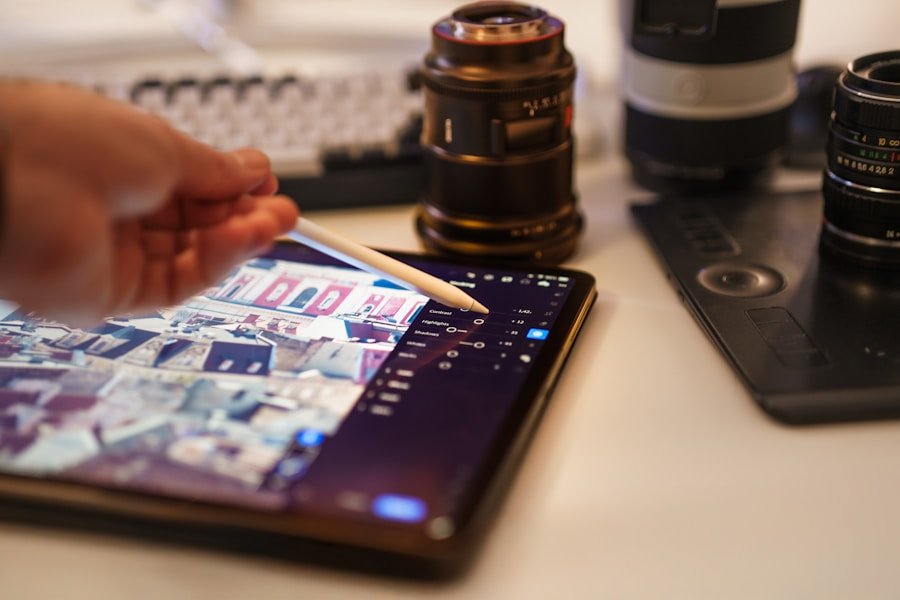
Once you’ve captured your photos with your smartphone camera, there are a variety of editing tools and techniques that can help you enhance and improve your images. Many smartphones come with built-in photo editing apps that offer a range of tools for adjusting things like exposure, color balance, sharpness, and more. By familiarizing yourself with these editing tools, you can take your smartphone photos to the next level.
In addition to built-in editing apps, there are also a variety of third-party photo editing apps available for smartphones that offer even more advanced editing capabilities. These apps may include features like selective adjustments, advanced filters, retouching tools, and more. By exploring different editing apps and techniques, you can refine your smartphone photos and create stunning images that stand out.
In conclusion, understanding your smartphone’s camera settings is essential for capturing high-quality photos. By adjusting exposure and white balance, utilizing HDR and Night Mode for low-light photography, setting the right resolution and aspect ratio for your needs, exploring different shooting modes and grid options, making the most of camera app features and filters, and utilizing editing tools and techniques, you can take better control of your smartphone camera and capture stunning images in any situation. With practice and experimentation, you can elevate your smartphone photography skills and create images that truly stand out.