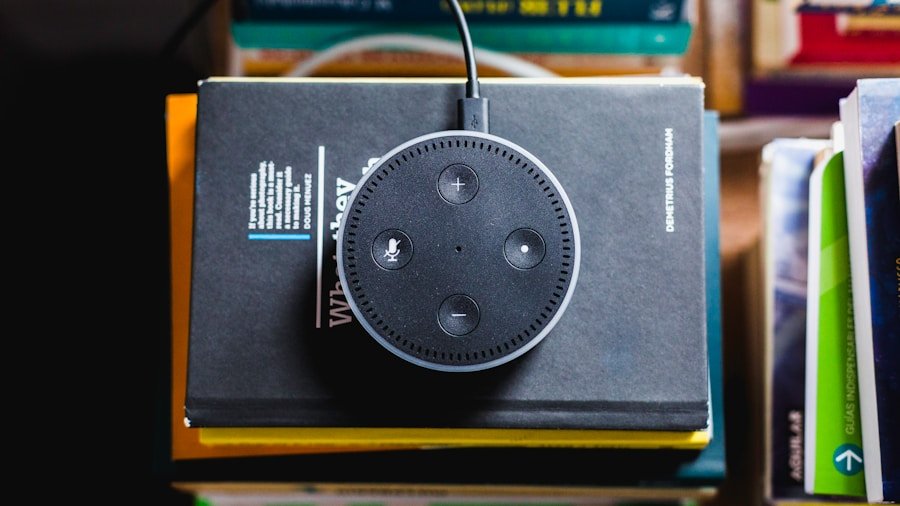

Voice commands have become increasingly popular in the world of action cameras, allowing users to control their devices hands-free. By simply speaking a command, users can take photos, start and stop recording, and even change settings on their action cameras. This technology has revolutionized the way people capture their adventures, making it easier and more convenient than ever before.
When using voice commands with an action camera, it’s important to understand the basics of how they work. Most action cameras are equipped with built-in microphones and voice recognition software that allows them to understand and respond to specific commands. These commands are typically pre-programmed into the camera’s software, and users can activate them by speaking clearly and directly to the camera. Understanding the limitations and capabilities of voice commands is essential for effectively using them with your action camera.
In addition to understanding how voice commands work, it’s also important to consider the potential benefits and drawbacks of using them. While voice commands can be incredibly convenient and efficient, they may not always work perfectly in every situation. Factors such as background noise, accents, and distance from the camera can all impact the accuracy and reliability of voice commands. It’s important to weigh these considerations when deciding whether or not to use voice commands with your action camera.
Choosing the Right Action Camera for Voice Commands
When it comes to choosing the right action camera for voice commands, there are several factors to consider. Not all action cameras are equipped with voice command capabilities, so it’s important to do your research and find a camera that meets your specific needs. Look for cameras that are specifically designed for use with voice commands, as these are more likely to have advanced features and reliable performance.
In addition to voice command capabilities, consider other important features such as image quality, durability, and battery life. Look for a camera that offers high-resolution video and photo capabilities, as well as a rugged design that can withstand the demands of your adventures. Battery life is also crucial, especially if you plan on using voice commands for extended periods of time. Consider cameras with long-lasting batteries or the ability to easily swap out batteries on the go.
Finally, consider the overall user experience when choosing an action camera for voice commands. Look for cameras with intuitive interfaces and easy-to-use voice command systems. The last thing you want is to struggle with a complicated setup or unreliable voice recognition when you’re in the middle of an exciting adventure. By carefully considering these factors, you can choose the right action camera for voice commands that will enhance your overall experience.
Setting Up and Calibrating Voice Commands on Your Action Camera
Once you’ve chosen the right action camera for voice commands, it’s time to set up and calibrate the system for optimal performance. Most action cameras with voice command capabilities will come with specific instructions for setting up and calibrating the system. It’s important to carefully follow these instructions to ensure that your voice commands work as intended.
Start by familiarizing yourself with the specific voice commands that your camera recognizes. These commands may include actions such as “take photo,” “start recording,” “stop recording,” and “change settings.” Practice speaking these commands clearly and directly to the camera to get a feel for how it responds. This will help you understand the nuances of the system and make it easier to use in real-world situations.
Next, consider calibrating the voice recognition software to better understand your specific voice patterns and accents. Some action cameras allow users to train the system to recognize their voice more accurately, which can improve overall performance. Take the time to go through any calibration processes recommended by the manufacturer to ensure that your voice commands work reliably in a variety of conditions.
Practicing and Mastering Voice Commands
Practicing and mastering voice commands with your action camera is essential for getting the most out of this technology. Like any new skill, using voice commands effectively takes time and practice. Start by practicing in a controlled environment where you can experiment with different commands and settings without the pressure of capturing important moments.
As you practice, pay attention to your speaking volume and clarity. Speaking too softly or too loudly can impact the camera’s ability to recognize your commands accurately. Experiment with different speaking volumes and distances from the camera to find the sweet spot for optimal performance.
In addition to practicing basic commands, consider experimenting with more advanced features such as changing settings or navigating menus with voice commands. This can be particularly useful in situations where you need to make quick adjustments without taking your hands off your equipment.
Troubleshooting Common Issues with Voice Commands
Despite your best efforts, you may encounter common issues with voice commands when using your action camera. Understanding how to troubleshoot these issues can help you overcome challenges and continue using voice commands effectively.
One common issue is background noise interfering with the camera’s ability to recognize your commands. In noisy environments, try speaking directly into the camera’s microphone or using a noise-canceling microphone attachment to improve accuracy.
Another common issue is misinterpretation of commands, which can lead to unintended actions or frustration. If you find that your camera is consistently misinterpreting your commands, consider re-calibrating the voice recognition software or adjusting your speaking patterns to be more clear and direct.
Maximizing the Benefits of Using Voice Commands
When used effectively, voice commands can offer a wide range of benefits for action camera users. By understanding how to maximize these benefits, you can enhance your overall experience and capture more memorable moments.
One of the key benefits of using voice commands is the ability to capture hands-free footage in situations where using physical controls may be difficult or unsafe. Whether you’re skiing down a mountain or riding a bike through rugged terrain, being able to control your camera with your voice allows you to focus on your adventure without distractions.
Another benefit of using voice commands is the ability to capture spontaneous moments without fumbling for controls. When an unexpected moment arises, being able to quickly speak a command to start recording can make all the difference in capturing a once-in-a-lifetime shot.
Advanced Tips and Tricks for Using Voice Commands with Your Action Camera
Once you’ve mastered the basics of using voice commands with your action camera, consider exploring advanced tips and tricks to further enhance your experience.
One advanced tip is to create custom voice command shortcuts for specific actions or settings that you frequently use. Many action cameras allow users to customize their own voice commands, which can streamline their workflow and make it easier to access important features on the fly.
Another advanced trick is to integrate voice commands with other smart devices or accessories. For example, some action cameras are compatible with smartwatches or other wearable devices that allow users to control their cameras remotely using voice commands.
By exploring these advanced tips and tricks, you can take full advantage of the potential of using voice commands with your action camera and elevate your overall experience.