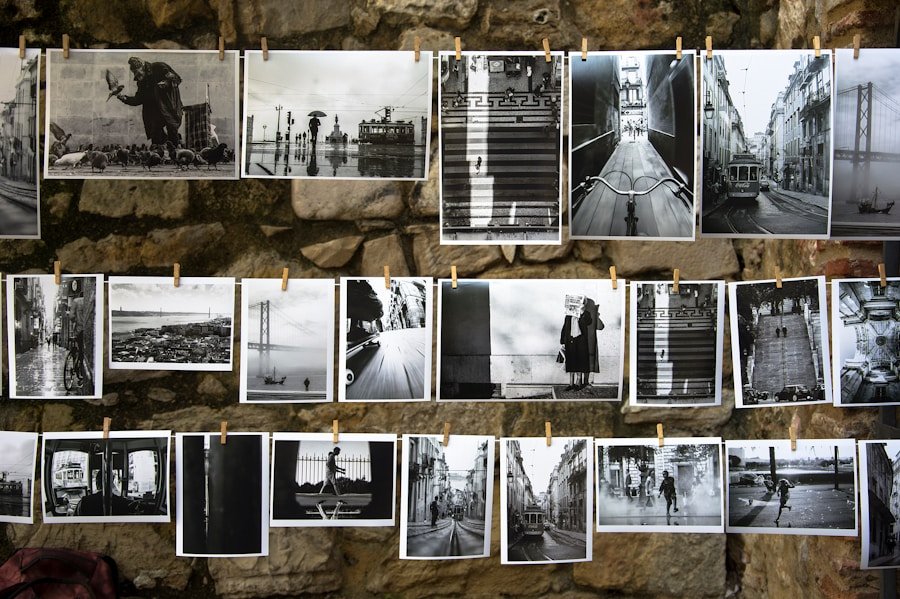

Montages are a form of visual art that combines multiple images to create a single, cohesive composition. They can be used to tell a story, evoke emotions, or simply showcase a collection of images in a visually appealing way. The art of creating montages requires a keen eye for composition, an understanding of visual storytelling, and the technical skills to seamlessly blend multiple images together. Montages can be created using traditional methods such as cutting and pasting physical photographs, or digitally using photo editing software. Regardless of the method used, the goal of a montage is to create a visually striking and cohesive composition that captures the viewer’s attention and imagination.
Creating a successful montage requires careful consideration of the images being used, the composition and layout of the montage, and the techniques and tools used to bring it all together. It’s important to choose the right photos that not only complement each other visually, but also work together to convey a specific message or evoke a particular emotion. Once the photos are selected, the next step is to use the right tools and techniques to seamlessly blend them together into a cohesive composition. This may involve adjusting the colors and tones of the images, adding textures or overlays, or using blending modes to create a seamless transition between the images. The composition and layout of the montage are also crucial elements in creating a visually striking composition. The placement of each image, the use of negative space, and the overall balance and flow of the montage all play a role in creating a visually appealing and impactful composition.
Choosing the Right Photos for Your Montage
When creating a montage, one of the most important steps is choosing the right photos to include. The photos you choose will set the tone for your montage and determine its overall impact. When selecting photos for your montage, it’s important to consider how they will work together as a cohesive whole. Look for images that have a similar color palette, tone, or theme to ensure that they will blend seamlessly together in your montage. Additionally, consider the emotional impact of each photo and how they will work together to convey a specific message or evoke a particular feeling. Whether you’re creating a montage to tell a story, showcase a collection of images, or evoke a specific emotion, choosing the right photos is crucial to the success of your montage.
In addition to considering the visual and emotional impact of each photo, it’s also important to consider the technical aspects of the images you choose. Look for high-quality images with good resolution and clarity to ensure that they will look their best when combined in your montage. Pay attention to the composition and framing of each photo, as well as any distracting elements that may take away from the overall impact of your montage. By carefully selecting the right photos for your montage, you can set yourself up for success and create a visually striking composition that captures the attention and imagination of your audience.
Tools and Techniques for Creating Striking Montages
Once you have chosen the right photos for your montage, the next step is to use the right tools and techniques to bring them together into a visually striking composition. Whether you’re working with physical photographs or digital images, there are a variety of tools and techniques that can help you create a seamless and cohesive montage. If you’re working with physical photographs, traditional methods such as cutting and pasting can be used to create a physical collage. This hands-on approach allows for a tactile and tangible experience, as well as the ability to experiment with different arrangements and compositions before finalizing your montage.
If you’re working digitally, photo editing software such as Adobe Photoshop or GIMP can be used to create montages with more precision and control. These tools offer a wide range of features and capabilities for blending images together, adjusting colors and tones, adding textures and overlays, and creating seamless transitions between images. Whether you’re working with physical photographs or digital images, it’s important to experiment with different tools and techniques to find the right combination that works best for your specific montage. By using the right tools and techniques, you can bring your chosen photos together into a visually striking composition that captures the attention and imagination of your audience.
Composition and Layout Tips for Montages
The composition and layout of a montage play a crucial role in creating a visually appealing and impactful composition. The placement of each image, the use of negative space, and the overall balance and flow of the montage all contribute to its overall impact. When composing your montage, consider how each image will work together as a cohesive whole. Pay attention to the placement of each image within the composition, as well as how they interact with each other visually. Experiment with different arrangements and compositions to find the right balance and flow that works best for your specific montage.
In addition to considering the placement of each image within the composition, it’s also important to consider the use of negative space in your montage. Negative space refers to the empty or blank areas within your composition, which can be used to create balance and visual interest in your montage. By carefully considering the use of negative space in your montage, you can create a visually appealing composition that draws the viewer’s eye and creates a sense of balance and harmony. By paying attention to the composition and layout of your montage, you can create a visually striking composition that captures the attention and imagination of your audience.
Adding Depth and Dimension to Your Montages
One way to enhance the visual impact of your montages is by adding depth and dimension to your compositions. By carefully considering how each image interacts with each other within the composition, you can create a sense of depth and dimension that draws the viewer into your montage. One way to add depth to your montages is by using overlapping images or layering them in such a way that creates a sense of depth within your composition. This can be achieved by carefully considering how each image interacts with each other visually, as well as experimenting with different arrangements and compositions to find the right balance that works best for your specific montage.
Another way to add dimension to your montages is by using shadows and highlights to create depth within your composition. By carefully considering how light interacts with each image within your montage, you can create a sense of depth and dimension that draws the viewer into your composition. Experiment with different lighting effects and techniques to find the right balance that works best for your specific montage. By adding depth and dimension to your montages, you can create visually striking compositions that capture the attention and imagination of your audience.
Enhancing Your Montages with Filters and Effects
In addition to using traditional tools and techniques for creating montages, another way to enhance their visual impact is by using filters and effects to add an extra layer of creativity and visual interest to your compositions. Filters can be used to adjust colors and tones, add textures or overlays, or create unique visual effects that enhance the overall impact of your montage. Experiment with different filters and effects to find the right combination that works best for your specific montage.
In addition to using filters, effects such as blurring or sharpening can be used to draw attention to specific areas within your composition or create a sense of movement or depth within your montage. Experiment with different effects to find the right combination that works best for your specific montage. By enhancing your montages with filters and effects, you can add an extra layer of creativity and visual interest to your compositions that capture the attention and imagination of your audience.
Sharing and Showcasing Your Striking Montages
Once you have created a visually striking montage, it’s time to share and showcase it with others. Whether you’re sharing your montages on social media, displaying them in an art gallery, or printing them as physical prints, there are many ways to share and showcase your compositions with others. Consider how you want to present your montages and what platforms or mediums will best showcase their visual impact.
When sharing your montages on social media or online platforms, consider how you want to present them in order to capture the attention of your audience. Experiment with different ways of presenting your montages such as slideshows, videos, or interactive galleries to find the right format that best showcases their visual impact. If you’re displaying your montages in an art gallery or exhibition, consider how you want to present them in order to create an immersive experience for your audience. Experiment with different ways of displaying your montages such as framing them as physical prints, creating interactive installations, or using projection mapping techniques to showcase their visual impact.
In conclusion, creating striking montages requires careful consideration of the images being used, the composition and layout of the montage, as well as techniques for adding depth and dimension through filters and effects. By carefully selecting high-quality photos that complement each other visually while conveying a specific message or emotion, artists can set themselves up for success when creating their montages. Additionally, by using traditional methods such as cutting and pasting physical photographs or digitally using photo editing software like Adobe Photoshop or GIMP, artists can seamlessly blend multiple images together into cohesive compositions.
The placement of each image within the composition is crucial in creating visually appealing montages that capture attention while creating balance through negative space usage. Furthermore, adding depth through overlapping images or layering them creates an immersive experience for viewers while using shadows and highlights enhances dimension within compositions. Lastly, enhancing montages with filters and effects adds an extra layer of creativity while sharing them on social media platforms or displaying them in art galleries allows artists to showcase their visual impact with others.
In conclusion, creating striking montages requires careful consideration of the images being used, the composition and layout of the montage, as well as techniques for adding depth and dimension through filters and effects. By carefully selecting high-quality photos that complement each other visually while conveying a specific message or emotion, artists can set themselves up for success when creating their montages. Additionally, by using traditional methods such as cutting and pasting physical photographs or digitally using photo editing software like Adobe Photoshop or GIMP, artists can seamlessly blend multiple images together into cohesive compositions.
The placement of each image within the composition is crucial in creating visually appealing montages that capture attention while creating balance through negative space usage. Furthermore, adding depth through overlapping images or layering them creates an immersive experience for viewers while using shadows and highlights enhances dimension within compositions. Lastly, enhancing montages with filters and effects adds an extra layer of creativity while sharing them on social media platforms or displaying them in art galleries allows artists to showcase their visual impact with others.
In conclusion, creating striking montages requires careful consideration of the images being used, the composition and layout of the montage, as well as techniques for adding depth and dimension through filters and effects. By carefully selecting high-quality photos that complement each other visually while conveying a specific message or emotion, artists can set themselves up for success when creating their montages. Additionally, by using traditional methods such as cutting and pasting physical photographs or digitally using photo editing software like Adobe Photoshop or GIMP, artists can seamlessly blend multiple images together into cohesive compositions.
The placement of each image within the composition is crucial in creating visually appealing montages that capture attention while creating balance through negative space usage. Furthermore, adding depth through overlapping images or layering them creates an immersive experience for viewers while using shadows and highlights enhances dimension within compositions. Lastly, enhancing montages with filters and effects adds an extra layer of creativity while sharing them on social media platforms or displaying them in art galleries allows artists to showcase their visual impact with others.