
Time-lapse photography is a technique that involves capturing a series of still images at set intervals and then combining them to create a video that shows the passage of time in a condensed form. This technique allows you to capture the subtle changes in a scene that occur over an extended period, such as the movement of clouds, the blooming of flowers, or the transition from day to night. Time-lapse photography can be used to create visually stunning and captivating videos that showcase the beauty and dynamism of the world around us.
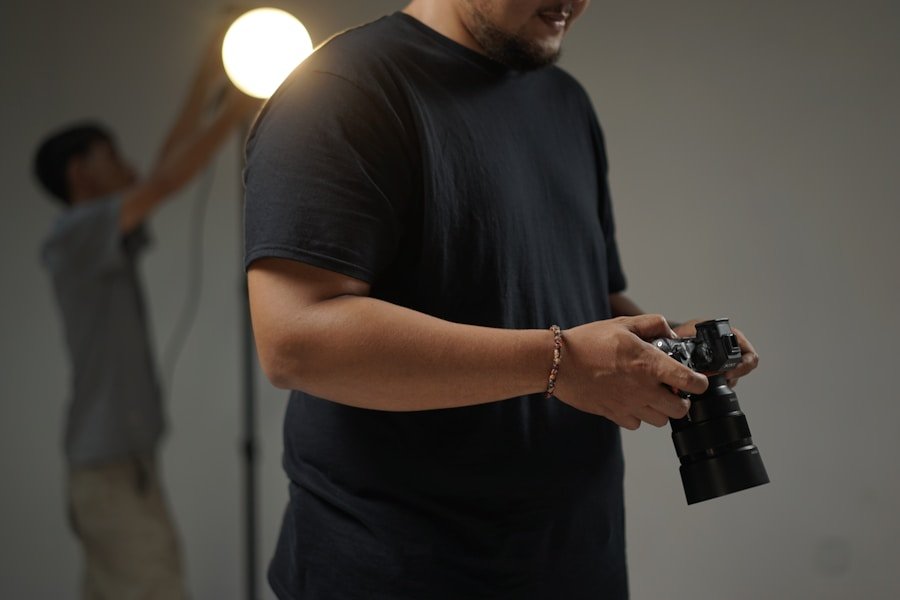
To create a time-lapse video, you will need a digital single-lens reflex (DSLR) camera or a mirrorless camera with time-lapse capabilities, a sturdy tripod, and an intervalometer or remote shutter release. The intervalometer is a device that allows you to set the intervals at which the camera will take photos, while the remote shutter release enables you to trigger the camera without physically touching it, which helps to minimize camera shake and ensure sharp images. Additionally, you will need a memory card with ample storage capacity to accommodate the large number of photos that will be captured during the time-lapse sequence.
Choosing the Right Equipment
When it comes to choosing the right equipment for time-lapse photography, there are several factors to consider. First and foremost, you will need a camera that has manual exposure and focus control, as well as the ability to shoot in RAW format for maximum flexibility in post-processing. A sturdy tripod is essential for keeping your camera stable and ensuring that your time-lapse sequence is free from unwanted movement or vibration. Look for a tripod that is lightweight yet durable, with adjustable legs and a ball head for easy positioning.
In addition to a camera and tripod, you will also need an intervalometer or remote shutter release to control the timing of your shots. Some cameras have built-in intervalometers, but if yours does not, you can purchase an external intervalometer that is compatible with your camera model. Finally, consider investing in additional accessories such as neutral density filters to control exposure in bright conditions, extra batteries to ensure uninterrupted shooting, and a weatherproof camera cover to protect your gear from the elements. By choosing the right equipment for your time-lapse photography setup, you can ensure that you are well-prepared to capture stunning time-lapse sequences with ease and precision.
Planning Your Time-Lapse Shoot
Before embarking on a time-lapse shoot, it is important to carefully plan and prepare for the task at hand. Start by scouting potential locations and identifying subjects that lend themselves well to time-lapse photography, such as landscapes, cityscapes, or natural phenomena. Consider the direction of light, the movement of elements within the scene, and any potential obstacles or distractions that may affect your composition. Take note of the weather conditions and time of day, as these factors can greatly impact the visual outcome of your time-lapse sequence.
Once you have chosen a location and subject for your time-lapse shoot, it is important to consider the duration of the sequence and the intervals at which you will capture photos. The duration of your time-lapse sequence will depend on the speed at which the subject is changing and the overall effect you wish to achieve. For example, capturing a sunset may require a longer duration than capturing the movement of clouds. Similarly, the intervals at which you capture photos will determine the pace of your time-lapse video, with shorter intervals resulting in a faster-paced sequence and longer intervals resulting in a slower-paced sequence. By carefully planning your time-lapse shoot and considering these factors, you can set yourself up for success and ensure that you capture compelling and visually engaging time-lapse sequences.
Setting Up Your DSLR Camera
Setting up your DSLR camera for time-lapse photography involves configuring various settings to ensure optimal image quality and smooth operation throughout the shooting process. Start by setting your camera to manual mode to have full control over exposure settings such as aperture, shutter speed, and ISO. This will allow you to maintain consistent exposure throughout the time-lapse sequence, even as lighting conditions change.
Next, set your focus to manual mode and carefully adjust the focus ring on your lens to achieve sharp focus on your subject. It is important to double-check your focus before starting the time-lapse sequence, as any errors in focus can be difficult to correct in post-processing. Additionally, consider using live view mode on your camera’s LCD screen to fine-tune focus and composition with greater precision.
Once you have set your exposure and focus, it is important to disable any automatic settings that could interfere with the consistency of your time-lapse sequence. This includes turning off auto white balance, image stabilization, and any other features that could cause variations in exposure or image quality. By carefully setting up your DSLR camera for time-lapse photography, you can ensure that your images are consistent and high-quality throughout the shooting process.
Shooting Your Time-Lapse Sequence
Shooting a time-lapse sequence involves capturing a series of still images at set intervals over an extended period of time. To begin shooting, attach your camera to a sturdy tripod and ensure that it is securely positioned to avoid any unwanted movement or vibration. Connect your intervalometer or remote shutter release to your camera and set the desired intervals at which you want to capture photos.
Once everything is set up, start the time-lapse sequence and let your camera capture images according to the predetermined intervals. It is important to monitor your camera throughout the shooting process to ensure that everything is running smoothly and that there are no technical issues or interruptions. Keep an eye on battery life, memory card capacity, and any changes in lighting or weather conditions that may require adjustments to your settings.
As you shoot your time-lapse sequence, consider experimenting with different compositions, angles, and perspectives to capture a variety of visual elements within the scene. This will give you more options to work with during post-processing and allow you to create a more dynamic and visually engaging time-lapse video. By carefully shooting your time-lapse sequence and paying attention to detail, you can capture compelling and visually stunning footage that showcases the passage of time in a captivating way.
Editing and Post-Processing
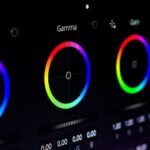
After capturing your time-lapse sequence, it is time to edit and post-process your images to create a cohesive and visually engaging video. Start by transferring your photos to your computer and organizing them into a dedicated folder for easy access. Next, import your images into a photo editing software such as Adobe Lightroom or Photoshop to make adjustments to exposure, color balance, and other aspects of image quality.
Once you have made basic adjustments to your images, it is time to assemble them into a video using video editing software such as Adobe Premiere Pro or Final Cut Pro. Import your images into the timeline and adjust the duration of each photo to create a smooth and seamless transition between frames. Consider adding music, sound effects, or text overlays to enhance the visual impact of your time-lapse video and create a more immersive viewing experience.
As you edit and post-process your time-lapse sequence, pay attention to details such as color consistency, exposure transitions, and overall visual flow. It is important to maintain a cohesive look throughout the video while also highlighting the subtle changes that occur within the scene over time. By carefully editing and post-processing your time-lapse sequence, you can create a visually stunning video that captures the beauty and dynamism of the world around us in a condensed and captivating form.
Sharing Your Time-Lapse Video
Once you have edited and post-processed your time-lapse sequence, it is time to share your video with the world. Consider uploading your video to popular video sharing platforms such as YouTube or Vimeo to reach a wide audience and showcase your work to fellow photographers and enthusiasts. Use descriptive titles, tags, and descriptions to optimize visibility and attract viewers who are interested in time-lapse photography.
In addition to sharing your video online, consider entering it into film festivals or competitions dedicated to time-lapse photography. This can provide valuable exposure for your work and potentially lead to recognition within the photography community. Furthermore, consider reaching out to local galleries or art spaces to inquire about opportunities for exhibiting your time-lapse video in a physical setting.
By sharing your time-lapse video with others, you can inspire and captivate viewers with the beauty and dynamism of the world around us as captured through this unique photographic technique. Whether it’s showcasing natural landscapes, urban environments, or celestial phenomena, time-lapse photography offers a visually stunning way to experience the passage of time in a condensed form. Through careful planning, shooting, editing, and sharing of your time-lapse videos, you can create compelling visual narratives that resonate with audiences around the world.