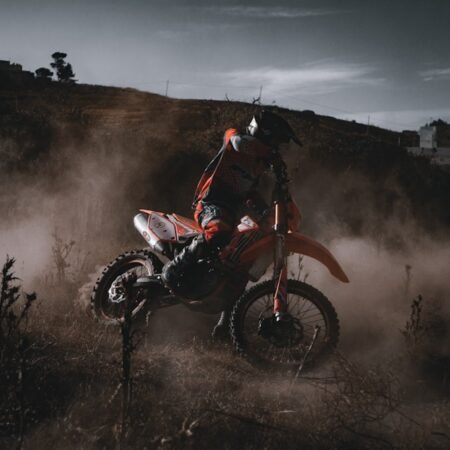

Action camera footage is unique in that it is often shot in extreme conditions, such as high speeds, intense movements, and varying lighting conditions. Understanding how to work with this type of footage is crucial in order to create a polished and professional final product. One of the key aspects of action camera footage is the wide angle lens, which captures a large field of view. This can lead to distortion and fisheye effects, which need to be corrected during the editing process. Additionally, action camera footage is often shot in high resolution and high frame rates, which can lead to large file sizes and require powerful editing software to handle. Understanding how to work with these technical aspects of action camera footage is essential for creating high-quality edits.
Another important aspect of action camera footage is the need for stabilization. Due to the nature of the activities being filmed, such as mountain biking, skiing, or surfing, the footage can often be shaky and unstable. Understanding how to stabilize this footage during the editing process is crucial for creating a smooth and professional final product. Additionally, action camera footage often includes a lot of fast-paced action, which requires careful editing to ensure that the final product is engaging and exciting for the viewer. Understanding how to work with the pacing and rhythm of action camera footage is essential for creating dynamic and captivating edits.
Choosing the Right Editing Software
When it comes to editing action camera footage, choosing the right editing software is crucial. Not all editing software is created equal, and some are better suited for handling the unique challenges of action camera footage. One important factor to consider when choosing editing software for action camera footage is its ability to handle high resolution and high frame rate footage. Many consumer-level editing software programs struggle with these technical aspects, leading to laggy performance and frustrating editing experiences. It’s important to choose a professional-level editing software that can handle the demands of action camera footage.
Another important factor to consider when choosing editing software for action camera footage is its ability to handle stabilization and correction of fisheye effects. Many editing software programs include built-in tools for stabilizing footage and correcting distortion, but not all are created equal. It’s important to choose a software program that offers powerful and effective tools for correcting these issues in action camera footage. Additionally, it’s important to consider the overall user interface and workflow of the editing software. Some programs are more intuitive and user-friendly than others, making the editing process smoother and more efficient. Ultimately, choosing the right editing software for action camera footage is crucial for creating high-quality and professional edits.
Organizing and Sorting Clips
Once you have chosen the right editing software for your action camera footage, it’s important to organize and sort your clips before diving into the editing process. Action camera footage can often result in a large number of clips, making it essential to have a system in place for organizing and sorting through them. One effective way to organize your clips is by creating a folder structure that makes it easy to locate specific clips based on activity, location, or date. This can help streamline the editing process and make it easier to find the clips you need when working on a project.
Another important aspect of organizing and sorting clips is creating a system for labeling and categorizing them based on their content. This can include labeling clips based on the type of shot (e.g. wide angle, close-up, POV), the level of action (e.g. high speed, slow motion), or any other relevant criteria. This can help you quickly identify the clips you need when working on a project and ensure that your editing process is efficient and organized. Ultimately, organizing and sorting your action camera clips is an essential step in the editing process that can help streamline your workflow and make it easier to create polished and professional edits.
Enhancing Footage with Color Correction and Grading
Color correction and grading are essential steps in the editing process for action camera footage. Due to the varying lighting conditions and extreme environments in which action camera footage is often shot, it’s important to enhance the footage with color correction and grading to create a polished and professional final product. Color correction involves adjusting the exposure, contrast, and color balance of individual clips to ensure that they look their best. This can help correct any issues with overexposure or underexposure, as well as ensure that the colors are accurate and vibrant.
Grading goes a step further by applying a consistent look and feel to all of the clips in a project. This can involve adding a specific color tone or style to the footage to create a cohesive and visually appealing final product. Grading can also be used to enhance the mood or atmosphere of the footage, such as adding warmth to a sunny outdoor scene or cool tones to a snowy mountain landscape. Ultimately, color correction and grading are essential steps in the editing process for action camera footage that can help elevate the overall quality and visual appeal of your edits.
Adding Dynamic Transitions and Effects
One way to enhance the visual appeal of your action camera edits is by adding dynamic transitions and effects. Transitions are used to smoothly move from one clip to another, creating a seamless flow between shots. There are many different types of transitions that can be used in action camera edits, such as cuts, fades, wipes, and more. It’s important to choose transitions that complement the pacing and rhythm of your footage, creating a dynamic and engaging viewing experience for the audience.
In addition to transitions, adding effects can also help enhance the visual appeal of your action camera edits. This can include adding slow motion effects to highlight specific moments in the footage, adding speed ramps to create dramatic effects during high-speed action sequences, or adding visual effects such as lens flares or light leaks to add visual interest to your edits. It’s important to use effects sparingly and purposefully, ensuring that they enhance the overall quality of your edits without overwhelming or distracting from the footage itself.
Incorporating Music and Sound Design
Incorporating music and sound design is an important aspect of creating engaging and immersive action camera edits. The right music can help set the tone and atmosphere of your edits, enhancing the overall viewing experience for the audience. When choosing music for your action camera edits, it’s important to consider the pacing and rhythm of your footage, as well as the mood and atmosphere you want to create. It’s also important to ensure that you have the appropriate rights or licenses for any music you use in your edits to avoid copyright issues.
In addition to music, sound design can also play a crucial role in enhancing the overall quality of your action camera edits. This can include adding sound effects such as wind, water, or other environmental sounds to create a more immersive viewing experience for the audience. It’s important to carefully consider how sound design can enhance the overall impact of your edits, ensuring that it complements the visuals and creates a cohesive and engaging final product.
Exporting and Sharing Your Edited Action Camera Clips
Once you have completed the editing process for your action camera footage, it’s important to export and share your final edits with your audience. When exporting your edits, it’s important to choose the appropriate settings based on where your edits will be shared. For example, if you are sharing your edits on social media platforms such as Instagram or YouTube, you will need to choose settings that are optimized for online viewing, such as H.264 compression and specific resolution and frame rate settings.
In addition to exporting your edits, it’s also important to consider how you will share them with your audience. This can include creating a compelling title and description for your edits, as well as using appropriate tags and keywords to help them reach a wider audience. It’s also important to consider how you will promote your edits through social media or other channels to ensure that they reach as many viewers as possible. Ultimately, exporting and sharing your edited action camera clips is an important final step in the editing process that can help you connect with your audience and showcase your creative work.
In conclusion, editing action camera footage requires a unique set of skills and techniques in order to create polished and professional final products. Understanding how to work with the technical aspects of action camera footage, choosing the right editing software, organizing and sorting clips, enhancing footage with color correction and grading, adding dynamic transitions and effects, incorporating music and sound design, and exporting and sharing your edited action camera clips are all essential aspects of creating high-quality action camera edits. By mastering these skills and techniques, you can create engaging and immersive edits that showcase the excitement and energy of action sports and activities.